The biggest custom sticker mistakes on a first order are picking a material that does not suit the surface, guessing at size, sending blurry artwork, overcrowding the design and approving the mockup too fast. Custom Stickers HQ catches most of these with a free mockup within 24 hours and unlimited free revisions, and you pay nothing until you approve the stickers.
- Free mockup within 24 hours of your quote request
- Unlimited free revisions; pay nothing until you approve
- Minimum order is 12 stickers per design
- Standard turnaround is about 2 weeks after approval, faster with express shipping
- Test size with a paper cutout on the real object before ordering
What are the most common mistakes on a first custom sticker order?
The most common mistakes on a first custom sticker order are choosing the wrong material for the surface, picking a size by guesswork, sending low-resolution artwork, cramming too much text into a small shape, and approving the mockup without checking it at real size. Almost every one of these is easy to avoid once you know to look for it, and none of them requires design training.
First orders go wrong for a simple reason: stickers look like a small, simple product, so buyers move fast. A sticker is actually a set of decisions stacked on top of each other: material, finish, cut style, size, adhesive and artwork. A miss on any one of them can leave you with a batch that peels off a cold bottle, fades on a car window, or turns a fine-print slogan into a blur.
The good news is that Custom Stickers HQ builds a safety net into every order. You get a free mockup within 24 hours, unlimited free revisions, and you pay nothing until you approve the design. This guide walks through each mistake, why it happens, and the one-line fix, so your first run looks the way you pictured it.
Why does picking the wrong sticker material cause problems?
Picking the wrong sticker material causes problems because each material is built for a different job. Paper and kraft stickers look warm and natural on dry packaging but struggle with moisture, while vinyl handles water bottles, coolers and outdoor gear. Choosing on looks alone, without thinking about where the sticker will live, is the single most frequent first-order regret.
Start with the surface and the conditions, then choose the look. Ask three questions: will the sticker get wet, will it sit in sunlight, and will someone handle it often? If the answer to any of those is yes, durable vinyl with lamination is usually the safer starting point. If the sticker seals a dry box or a gift bag, eco kraft and paper stickers can be a better fit and feel more on-brand for natural products.
| Where the sticker goes | Common mistake | Better starting point |
|---|---|---|
| Water bottles and tumblers | Paper stock | Laminated die-cut vinyl |
| Shop windows | Opaque white backing | Clear vinyl |
| Dry boxes and mailers | Overbuilding with heavy vinyl | Kraft or paper |
| Cars and bumpers | Thin indoor labels | Bumper sticker vinyl |
| Giveaways that should stand out | Plain white for everything | Holographic |
When in doubt, tell the team where the stickers will go and let the mockup reflect that choice.
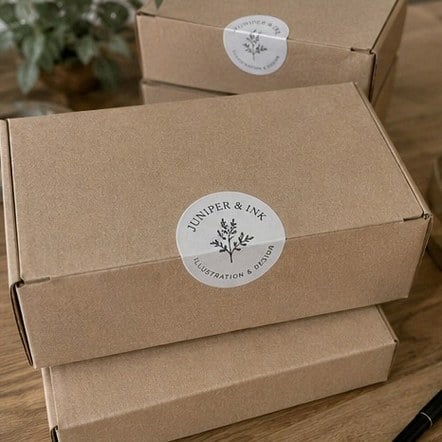
How do you avoid ordering custom stickers in the wrong size?
You avoid ordering custom stickers in the wrong size by measuring the actual spot where the sticker will go and cutting a paper template before you request a quote. Sizes that feel generous on a laptop screen often look tiny on a storefront window, and sizes that feel modest on screen can swamp a small jar lid or a coffee bag label area.
A quick paper test takes a few minutes and saves a whole batch. Print or draw your design at the size you are considering, cut it out, and tape it to the real object: the product, the box, the laptop lid or the cup. Look at it from the distance a customer would. If the logo is hard to read from across a counter, go larger. If the sticker wraps over an edge or a seam, go smaller or change the shape.
Also think about everyone who will use the sticker. A brand sticker given away at a register can be a different size from the one that seals your shipping mailers. Custom Stickers HQ lets you mix designs on one order, so you do not have to force one size to cover every job.
What artwork mistakes ruin a custom sticker print?
The artwork mistakes that ruin a custom sticker print are low-resolution images, text set too thin or too small, colors chosen on a bright screen without a brand reference, and important details placed too close to the cut line. Each of these looks fine on a monitor and then disappoints on the finished sticker, because print is far less forgiving than a backlit display.
- Blurry source files. A logo copied from a website or a social profile usually lacks the detail print needs. Send the cleanest original you have, ideally a vector file.
- Hairline text and strokes. Fine lines and small script fonts can break up or fill in, especially on small stickers. Bolder weights read better.
- Elements hugging the edge. Anything critical placed right at the border risks being trimmed. Keep text and logos comfortably inside the shape.
- Screen-only color choices. Bright screens make colors look more vivid than ink on vinyl or paper. If you have brand colors, share the references.
- White that disappears. On clear stickers, any white in your design needs special handling, so mention it up front.
If your files are not print-ready, say so. The Custom Stickers HQ mockup shows exactly how the artwork will sit inside the cut before anything is printed.
Is it a mistake to put too much on one sticker?
Yes, putting too much on one sticker is one of the easiest ways to weaken it. A sticker is seen in a glance, often from an arm’s length or farther, so a logo, a short line and maybe one supporting element is usually the limit. Full addresses, long taglines, multiple social handles and paragraphs of copy shrink everything until nothing reads.
Decide what the sticker is for before you design it. A brand-awareness sticker for laptops and water bottles mostly needs a strong logo or a memorable graphic. A packaging seal might need your logo and a website. A product label might need a name and a short descriptor. If you truly need more information, consider splitting it across two designs or moving it to a kiss-cut sticker sheet, which holds several smaller stickers on one backing.
A simple test helps: show the design to someone for a brief moment, then ask what it said. If they cannot answer, simplify.
Why should you check the sticker mockup at actual size?
You should check the sticker mockup at actual size because a design viewed zoomed in on a screen hides the problems that matter most: text that is too small, details that blur together, and a cut line that sits too close to the art. Printing the mockup at its real dimensions, or holding a ruler up to your screen, shows you what a customer will actually see.
Many first-time buyers approve a mockup within seconds because it looks great on a phone. Take an extra minute instead. Check spelling, especially in names, dates and website addresses. Confirm the cut style matches what you expect: a die-cut sticker follows the outline of your design, while a kiss-cut sticker stays on a larger backing. Confirm the material, finish and quantity listed match your plan.
- Print the mockup at actual size, or measure it on screen.
- Read every word aloud, including small print.
- Check the edges and the space around the design.
- Confirm material, finish, cut style and quantity.
- Ask for changes as many times as you need. Revisions are free and unlimited.
Since Custom Stickers HQ charges nothing until you approve, there is no cost to asking for one more round.
How do timing and quantity mistakes affect a first sticker order?
Timing and quantity mistakes affect a first sticker order by forcing rushed decisions or leaving you short right when you need stickers most. Ordering too close to an event squeezes the time for revisions, and ordering the bare minimum for a launch often means reordering within weeks, before you have had a chance to see which design works best.
On timing, plan around about 2 weeks of standard turnaround after you approve the mockup, plus a day for the mockup itself and time for any revisions. Faster turnaround is available with express shipping, but a calm schedule gives you room to fix a typo without stress. On quantity, the minimum at Custom Stickers HQ is 12 stickers per design, which is ideal for testing a new look, while ongoing uses such as packaging seals usually justify a larger run.
One more quiet mistake: forgetting to save your approved file and order details. Keep the final mockup so the next reorder matches the first batch exactly.
What should a first-time sticker buyer do before requesting a quote?
A first-time sticker buyer should gather four things before requesting a quote: where the stickers will be used, the size they need, the best artwork file available, and the date they need the stickers in hand. With those answers ready, the quote and mockup can reflect your real plan from the start instead of a generic guess.
- Use and surface: packaging, bottles, windows, cars, giveaways or retail.
- Size and shape: tested with a paper cutout on the real object.
- Artwork: the cleanest original logo or design file you have.
- Style: die-cut vinyl, clear, holographic, kraft, sheets or bumper stickers.
- Quantity and date: how many per design and when you need them.
Then send the details through the Custom Stickers HQ quote form. You will see a free mockup within 24 hours, and you can read the full process on the how it works page. Planning a launch? The grand opening sticker guide shows how one business puts these steps together.
Frequently asked questions
Should I order custom stickers in one design or several on my first order?
Custom stickers on a first order often work best as two or three designs rather than one, because you can see which design customers actually keep. Custom Stickers HQ sets the minimum at 12 stickers per design, so a small test of several looks stays manageable. Reorder the winner in larger quantities once you know what people respond to.
Can custom stickers be printed from a logo I screenshot from my website?
Custom stickers can technically be printed from a screenshot, but a screenshot rarely has enough detail for a crisp edge and clean color. Send the original logo file from your designer or brand folder whenever possible. If a screenshot is all you have, mention it on the quote form so the mockup can show whether the artwork holds up.
How can I tell whether sticker text will be readable before printing?
Sticker text readability is easiest to judge by printing the mockup at actual size and holding it at the distance a customer would see it. Thin script fonts and small taglines are the usual trouble spots. If you squint and the words blur, ask Custom Stickers HQ for a bolder font weight or larger text in the next free revision.
What happens if I spot a typo on my sticker mockup after asking for changes?
A sticker mockup typo spotted at any point before approval is simply fixed in another revision. Custom Stickers HQ offers unlimited free revisions and charges nothing until you approve the design, so there is no penalty for catching a mistake late. Read names, dates and web addresses aloud before you sign off, since those slip through most often.
Do glossy or matte stickers hide artwork mistakes better?
Glossy and matte sticker finishes change how colors and surfaces look, but neither finish hides artwork problems like blurry images or cramped text. Gloss makes colors pop and can show glare, while matte looks softer and reads well under bright lights. Fix the artwork first, then choose the finish that suits your brand and the place the stickers will live.
Is it a mistake to use the same sticker for packaging and giveaways?
Using one sticker for both packaging and giveaways is not always a mistake, but the two jobs often want different sizes and materials. A packaging seal should fit the box flap neatly, while a giveaway sticker should be bold enough for a laptop or bottle. Custom Stickers HQ lets you order multiple designs together, so each job gets the right sticker.
Why does my sticker design look darker in print than on my phone?
Sticker designs often look darker in print because phone and laptop screens are backlit and make colors appear brighter than ink can on vinyl or paper. Dark blues, deep greens and blacks are especially affected. Share any brand color references when you request a quote, and Custom Stickers HQ will reflect them in the mockup before production begins.
Should I add a border around my die-cut sticker design?
A die-cut sticker design usually benefits from a small border around the artwork, because the border gives the cut a clean, even edge and protects fine details from being trimmed. Intricate outlines with thin spikes can also catch and peel more easily. The mockup shows exactly where the cut line sits, so you can request a wider or narrower border.
What is the biggest mistake businesses make when reordering stickers?
The biggest sticker reordering mistake is losing track of the exact material, finish, size and file used on the last run, which makes the new batch look slightly different. Save your approved mockup and order details in one place. When you come back to Custom Stickers HQ, sharing those details helps the reorder match the stickers your customers already recognize.
Can I change sticker material after seeing the mockup?
Sticker material can be changed after you see the mockup, as long as you have not yet approved the design for production. Many buyers realize at the mockup stage that clear vinyl suits a window better than white, or that kraft fits natural packaging. Tell Custom Stickers HQ what you want to switch, and an updated mockup follows in a free revision.
Are holographic stickers a risky choice for a first order?
Holographic stickers are not risky for a first order, but they suit bold, simple designs better than detailed artwork with lots of small text. The shifting rainbow effect draws the eye and can compete with fine print. Review the holographic mockup closely, and consider pairing one holographic giveaway design with a standard vinyl design for everyday branding needs.
Get a free mockup for your stickers
Send your logo or idea and the quantity you have in mind. Custom Stickers HQ returns a free mockup within 24 hours, you approve the design before anything is produced, and standard turnaround is about two weeks with faster options available. Get a custom quote.