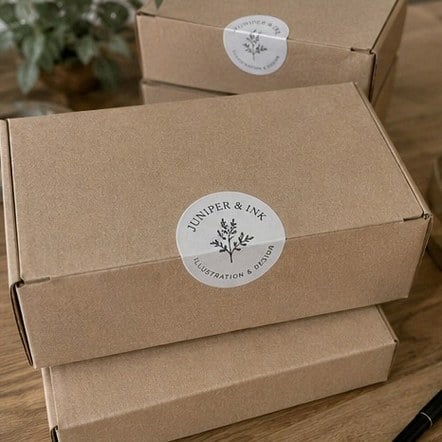
To check a custom sticker mockup, review the cut line first, then the size, colors, small text, white ink on clear or holographic stock, finish and quantity, and only approve when every detail matches your plan. Custom Stickers HQ sends a free mockup within 24 hours, allows unlimited free revisions, and you pay nothing until you approve the design.
- Check the cut line before anything else: it decides the sticker's final shape
- Confirm the printed size against a ruler, not just the screen
- Clear and holographic stickers need a white ink decision on the mockup
- Custom Stickers HQ returns a free mockup within 24 hours
- Unlimited free revisions, and you pay nothing until you approve
Why does the sticker mockup matter so much?
The sticker mockup is the last point where any change is free and instant. Once you approve it, Custom Stickers HQ prints and cuts the run exactly as shown, so a typo, a thin border or a misplaced cut line becomes part of every sticker in the order. A careful review takes a few minutes and prevents the most common reasons buyers are disappointed with a first run.
Custom stickers are small, which makes small problems big. A detail that looks fine on a large monitor can vanish at actual size, and a contour that looks smooth on screen can create a fragile point that peels. Reviewing the mockup with a routine, rather than a quick glance, catches those issues while revisions are still unlimited and free.
The sections below walk through that routine in the order that catches the most problems first.
How do I check the cut line on a die-cut sticker mockup?
Check the cut line by tracing the outline shown around your design and asking whether the shape is clean, sturdy and easy to peel. On die-cut vinyl stickers the cut follows your artwork, so the outline decides the final shape of every sticker in the run.
- Look for thin necks: narrow bridges between parts of the design can tear when the sticker is peeled.
- Check inside gaps: small enclosed holes, such as the middle of letters, are often filled in for durability. Confirm that is acceptable.
- Review the border: a white or colored border around the art makes the sticker sturdier and easier to read.
- Confirm the cut type: die-cut stickers are cut through the backing, while kiss-cut stickers keep a larger backing around the shape.
If the outline looks fussy, ask for a simpler contour. A smoother shape usually peels better and looks more polished on laptops, bottles and packaging.
How do I confirm the sticker size is right?
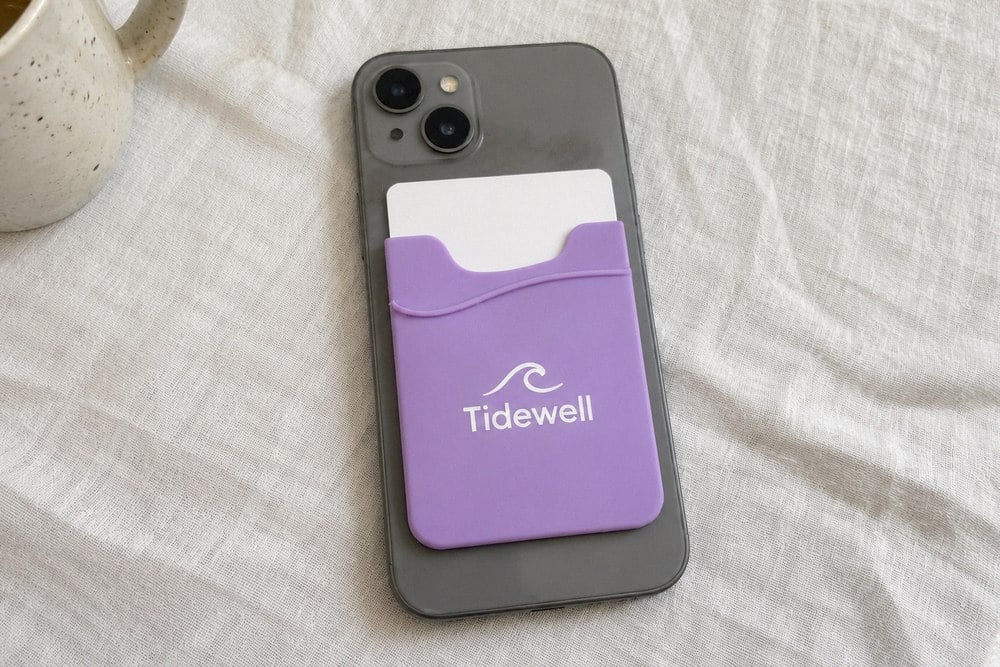
Confirm the size by holding a ruler or a printed paper cutout to the place where the sticker will actually go. Screen previews scale freely, so a sticker that looks generous in a mockup can feel tiny on a box lid or oversized on a phone case.
Check the size listed on the mockup against your order, then test it in context. A packaging seal must fit the flap it closes. A phone wallet sticker must sit within the back of the phone. A bumper sticker must read from a distance, which means larger text than a laptop sticker needs. If any text in the design becomes hard to read at actual size, enlarge the sticker or simplify the text rather than hoping it prints sharper than it looks.
What color and text details should I review?
Review colors against your brand standards and read every word of text slowly, out loud if possible. Color on a screen varies by device, so compare the mockup to a printed brand sample or the color references you sent, and tell Custom Stickers HQ if a brand color must match closely.
- Spelling and names: check every word, including website addresses, social handles and product names.
- Small text: confirm fine print, taglines and legal lines stay legible at the final size.
- Contrast: make sure text stands out from the background, especially on kraft paper stock.
- Logo version: confirm the mockup uses your current logo, not an older file.
- Codes: if the design includes a QR code, check it is large enough and points to the right page.
What should I check on clear, holographic and kraft sticker mockups?
Check how the material changes your design, because clear, holographic and kraft stickers do not show color the same way white vinyl does. The mockup should make those differences visible before you approve.
| Material | What to check | Why it matters |
|---|---|---|
| Clear vinyl | Where white ink sits behind the colors | Without a white layer, colors look see-through on dark surfaces |
| Holographic | Which areas shimmer and which are printed solid | Too much shimmer can make text hard to read |
| Eco kraft and paper | Contrast and color depth on the brown stock | Light colors and pale text can fade into kraft |
| White die-cut vinyl | Border width and edge color | Borders frame the art and protect the edges |
Ask Custom Stickers HQ to adjust white ink coverage or holographic areas if the mockup does not show the effect you want.
How do I check the finish, quantity and delivery details?
Check that the mockup or order summary lists the finish, quantity and in-hand date you expect. Matte and gloss lamination change how stickers look under light, and a mismatched quantity or missing version is much easier to fix before approval than after production.
If the order includes several designs or sizes, make sure each one appears with its own quantity. Confirm whether stickers arrive as individual die-cut pieces, kiss-cut sheets or on rolls, and whether that format suits how you will apply them. Finally, compare the timeline with your event or launch date. Standard turnaround is about 2 weeks after approval, with faster turnaround available through express shipping.
What are the most common things buyers miss on a sticker mockup?
The details buyers miss most often on a sticker mockup are the ones that look fine at screen size but fail on the real surface. Reviewing these specifically, after the main checks, catches most of the problems that lead to a reprint.
- Outdated contact details: an old website, phone number or social handle carried over from a previous file.
- Dark art on dark surfaces: a black logo that disappears on a black laptop, bottle or bumper.
- Thin outlines: hairline strokes that look crisp on screen but break up at small sizes.
- Wrong orientation: a design meant to sit upright on a jar or box that is rotated on the sheet or roll.
- Missing versions: one design from a set that never made it into the mockup.
A short checklist taped beside your screen during review helps every approver look for the same things.
When is a sticker mockup ready to approve?
A sticker mockup is ready to approve when you have checked every item above and would be happy seeing the exact design repeated across the whole run. If anything still feels uncertain, ask for another revision; revisions at Custom Stickers HQ are unlimited and free.
A useful final test is to show the mockup to someone who did not work on the design. Fresh eyes spot typos and confusing layouts quickly. Once the design is approved, production begins, and you pay nothing until that approval.
Frequently asked questions
Should I print my sticker mockup on paper before approving it?
Custom stickers are easier to judge when you print the mockup on paper at actual size, cut it out and hold it where the sticker will go. A paper test shows whether text is readable and whether the shape fits the surface. Custom Stickers HQ can adjust the size or layout if the paper test reveals a problem.
Can I ask for a different cut line after seeing my sticker mockup?
Custom stickers can get a new cut line at the mockup stage at no cost. Ask for a smoother contour, a wider border or a simple circle or rectangle instead of a detailed outline. Custom Stickers HQ sends a revised mockup, and revisions are unlimited until you are happy with the shape.
Why does my sticker mockup show a white border I did not design?
Custom stickers often include a white border on the mockup because a border strengthens the edge, simplifies the cut and helps the design stand out on dark surfaces. If you prefer a tighter cut or a colored border, ask for a change. The mockup will update to show the new outline.
How do I review a sticker mockup that has several designs?
Custom stickers orders with several designs should be reviewed one design at a time, checking the cut line, size, text and quantity for each. Then view all the designs together to confirm the set looks consistent. Custom Stickers HQ can show every design in one mockup so the whole order is approved in one pass.
Who on my team should sign off on a sticker mockup?
Custom stickers mockups are best approved by the person who owns the brand standards plus one person who did not work on the design. The brand owner checks colors and logos, while the fresh reviewer catches typos and confusing layouts. Agree on one final approver so revisions do not stall the timeline.
What if the colors on my sticker mockup look different on my phone?
Custom stickers mockups can look different across screens because every device displays color slightly differently. Compare the mockup on more than one screen and against a printed brand reference if you have one. Tell Custom Stickers HQ which colors must match closely, and the team will note them before production.
Should a QR code on a sticker be tested at the mockup stage?
Custom stickers with a QR code should be tested at the mockup stage by scanning the code from a printed actual-size copy. Small codes, low contrast or busy backgrounds can make scanning unreliable. If the scan fails or is slow, enlarge the code or give it a plain background before you approve the design.
Can I approve a sticker mockup and still change the quantity?
Custom stickers quantities are easiest to change before approval, because production starts once the design is approved. Confirm the quantity for every design and size when you review the mockup. If you need more stickers later, Custom Stickers HQ keeps your approved artwork so a reorder matches the first run.
How much detail is too much for a small sticker design?
Custom stickers lose fine detail as they get smaller, so thin lines, tiny lettering and busy textures may blur or disappear. If you cannot read a detail on a paper printout at actual size, it will not read on the sticker either. Simplify the artwork or increase the sticker size before approval.
Does a kiss-cut sticker mockup need a different review than a die-cut one?
Custom stickers in kiss-cut format need an extra check on the backing shape and size, since the backing stays around the sticker. Confirm the backing looks neat, especially for handouts and packaging inserts. For die-cut stickers, focus more on the outline itself, because the backing is trimmed to match the shape.
What happens after I approve my sticker mockup?
Custom stickers move into production once you approve the mockup, and you pay nothing until that approval. Custom Stickers HQ then prints, cuts and packs the run, with standard turnaround of about 2 weeks and faster turnaround available through express shipping. Keep a copy of the approved mockup for future reorders.
Get a free mockup for your stickers
Send your logo or idea and the quantity you have in mind. Custom Stickers HQ returns a free mockup within 24 hours, you approve the design before anything is produced, and standard turnaround is about two weeks with faster options available. Get a custom quote.